V1.2.2 Multi-lingual Free & Open Source GPU Accelerated

Write
Smarter.
Stay
Private.

The only AI writing suite where your data never leaves your machine. Paraphrase in 10 modes, check grammar, cite sources, scan documents, and chat with your knowledge base — powered by Gemini, Ollama, or your local LLM.

Zero Data Sent to Servers
Works 100% Offline
Gemini · LM Studio · Ollama
Your API Keys · Your Rules
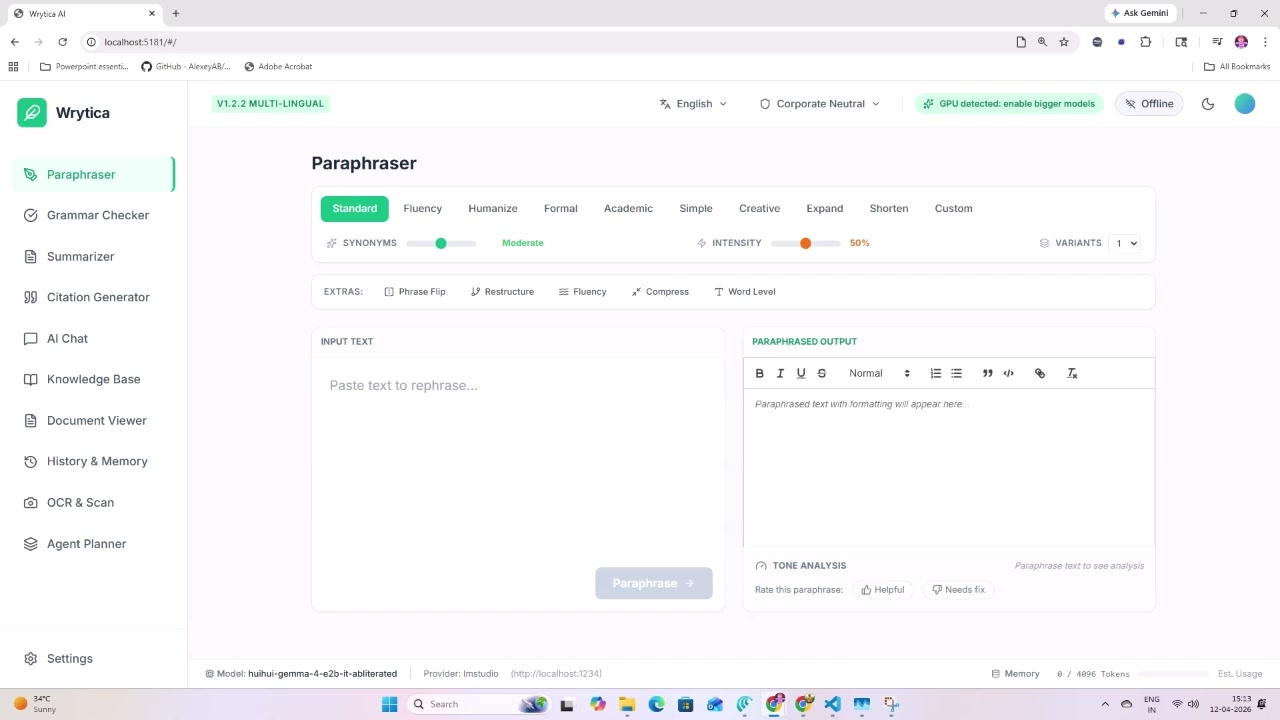
Wrytica Paraphraser — 10 writing modes ✦ Paraphraser
Grammar & Style Checker
AI Chat Assistant
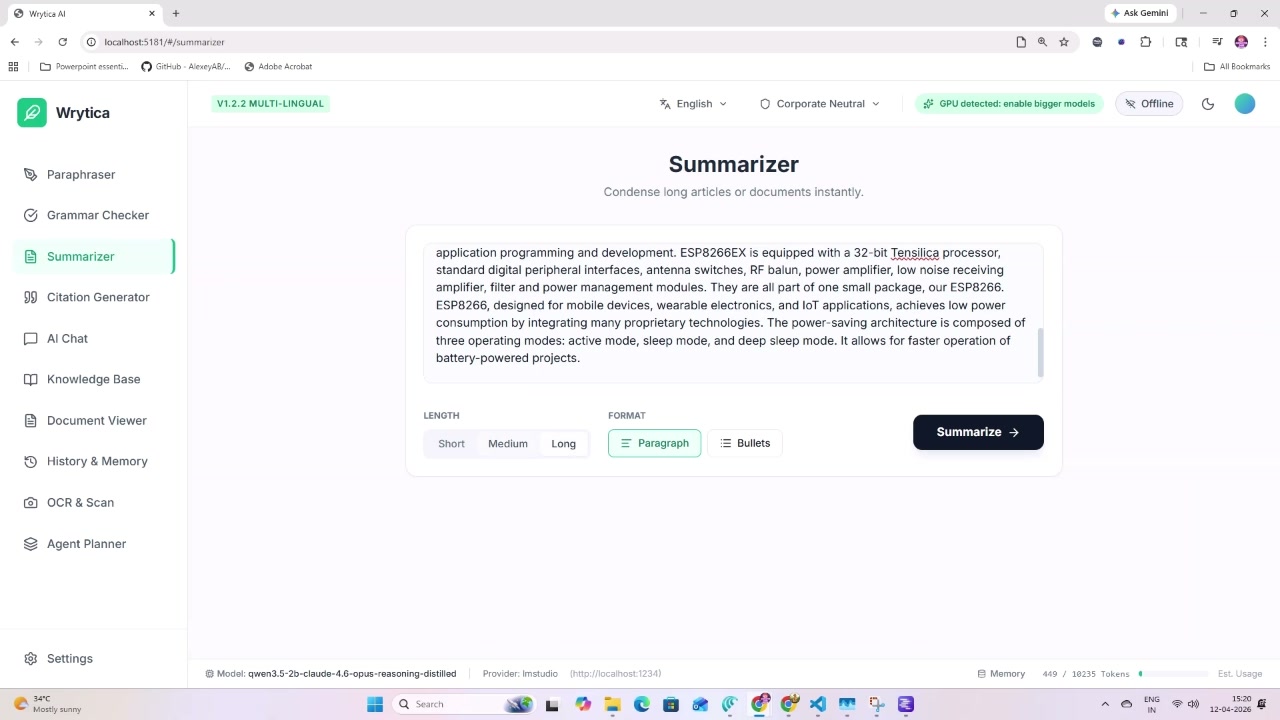
Summarizer
Agent Planner
Paraphraser Grammar Checker Summarizer Citation Generator AI Chat Knowledge Base Document Viewer OCR & Scan Agent Planner History & Memory Company Guardrails Local LLM Support Paraphraser Grammar Checker Summarizer Citation Generator AI Chat Knowledge Base Document Viewer OCR & Scan Agent Planner History & Memory Company Guardrails Local LLM Support
10
Paraphrase Modes
12
Integrated Tools
0
Data Sent to Cloud
Local LLM Support
▶ WATCH THE DEMO

See It In Action

Full walkthrough — paraphraser, grammar checker, knowledge base, OCR, and more.

Feature Deep Dive

Every tool
you actually need.

Built for writers, researchers, students and professionals who demand precision — and privacy.

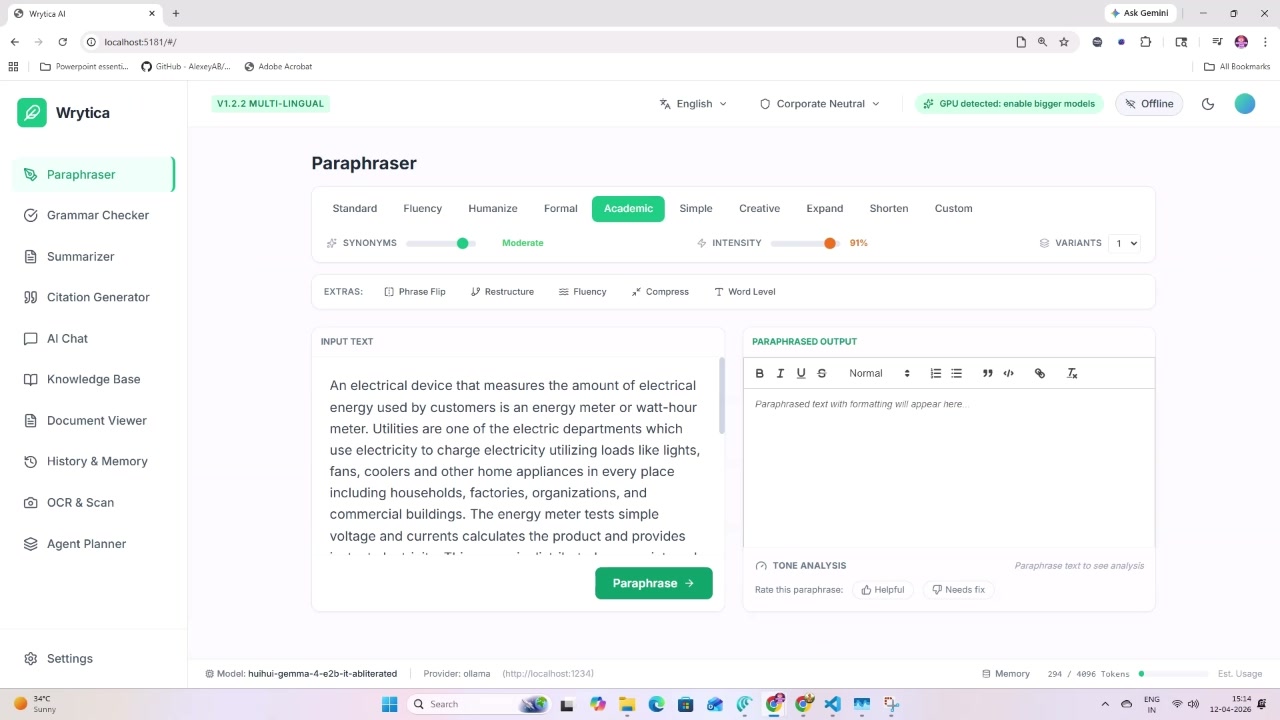
10-mode paraphraser with synonyms and intensity sliders
Tool 01

10-Mode
Paraphraser

Rewrite anything in Standard, Fluency, Humanize, Formal, Academic, Simple, Creative, Expand, Shorten or fully Custom mode. Dial synonym intensity, restructure at sentence level, and generate up to 8 variants at once.

Standard Fluency Humanize Formal Academic Simple Creative Expand Shorten Custom
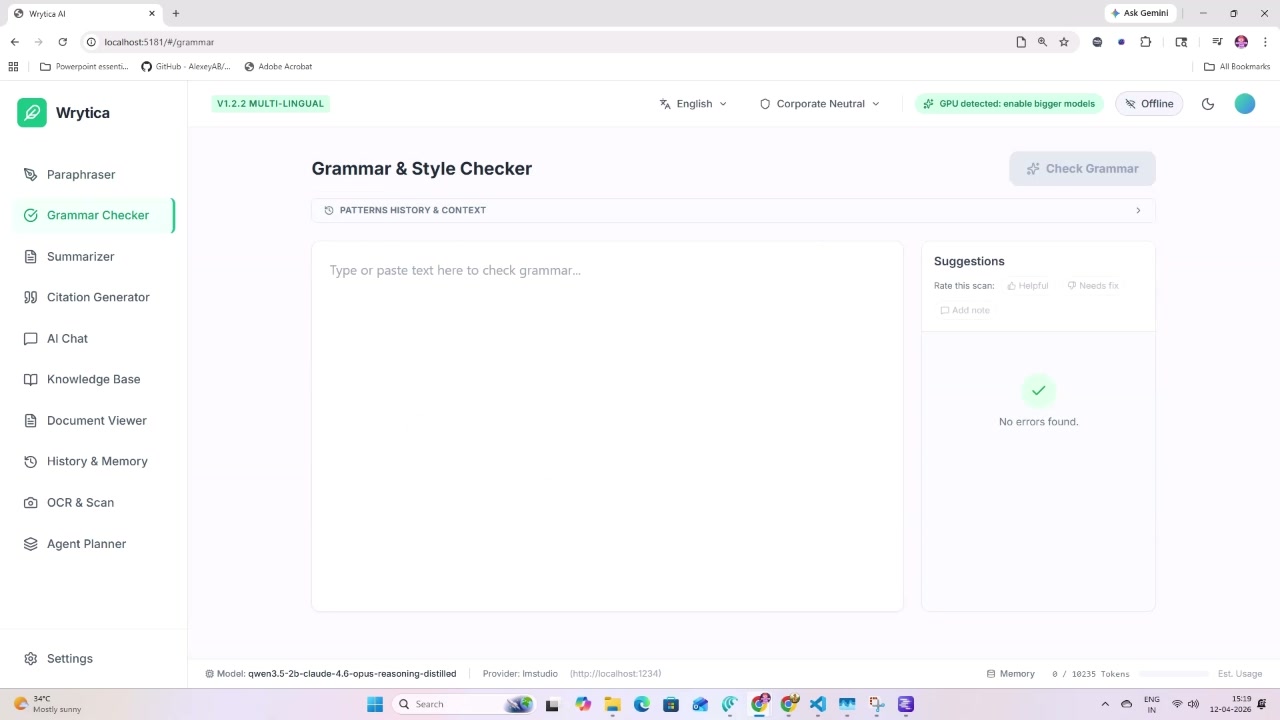
Grammar and Style Checker
Tool 02

Grammar &
Style Checker

Catches grammar, punctuation, and style issues in real time. Stores your writing patterns and context history so the AI understands your voice — not just the rules.

Real-time Pattern History Context-aware Feedback Loop
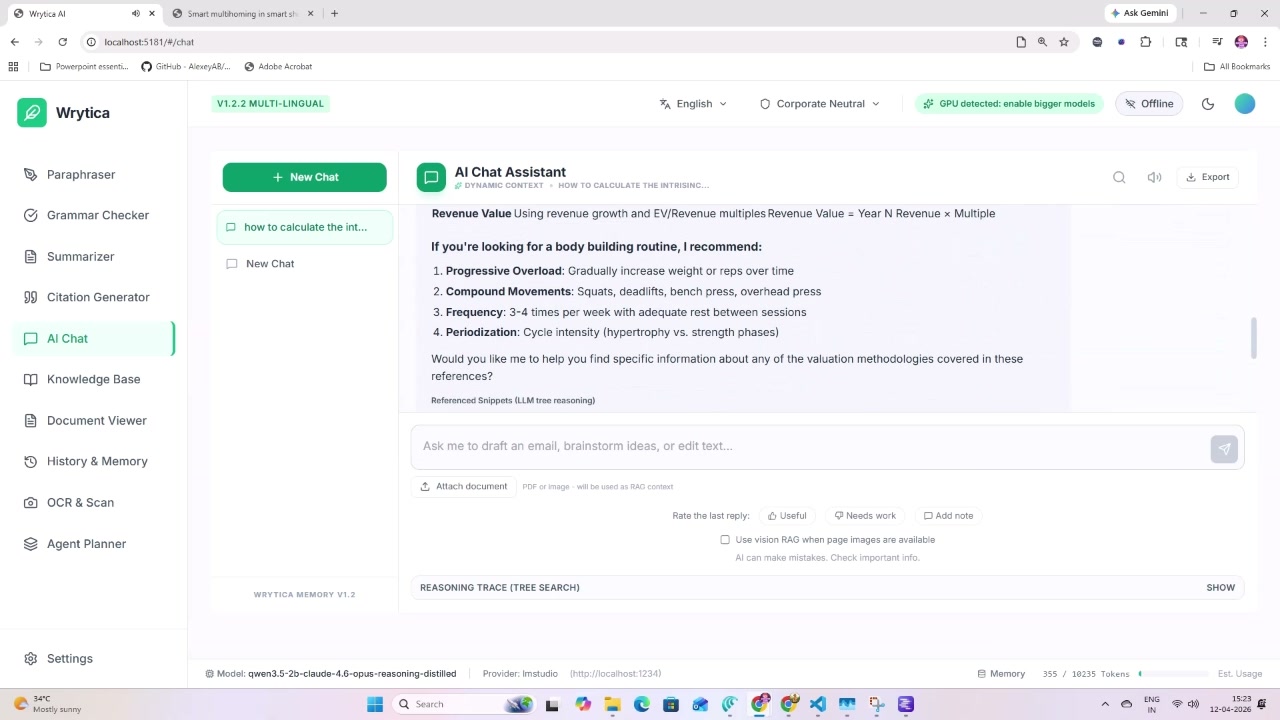
AI Chat Assistant with reasoning trace
Tool 05

AI Chat with
Reasoning Trace

Chat with any document, your entire knowledge base, or just the AI. Full tree-search reasoning trace is visible so you always know why the AI said what it said. Attach files, use vision models, and export.

RAG-Powered Reasoning Trace File Attach Vision Models Export
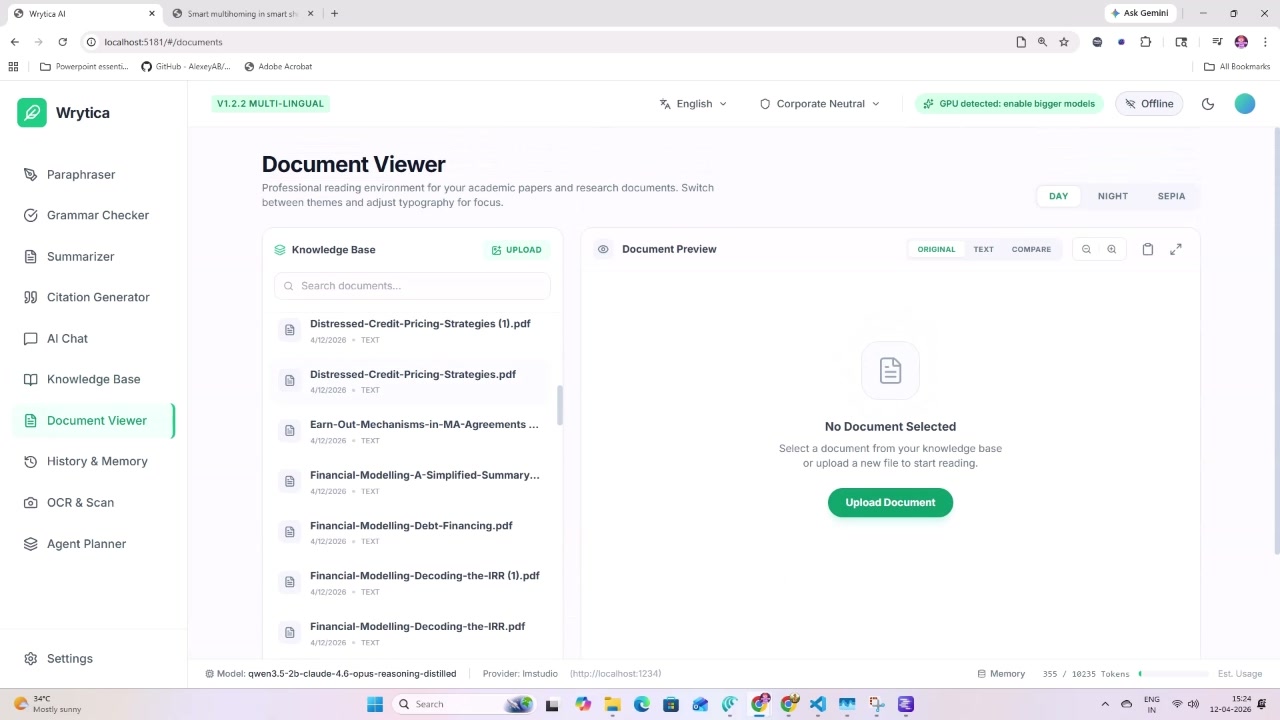
Document Viewer with Day/Night/Sepia themes
Tool 07

Document
Viewer

A professional reading environment for PDFs and your knowledge base. Switch between Day, Night, and Sepia themes, compare original vs extracted text, and annotate — all without sending the document anywhere.

Day / Night / Sepia PDF Viewer Compare Mode Local Only
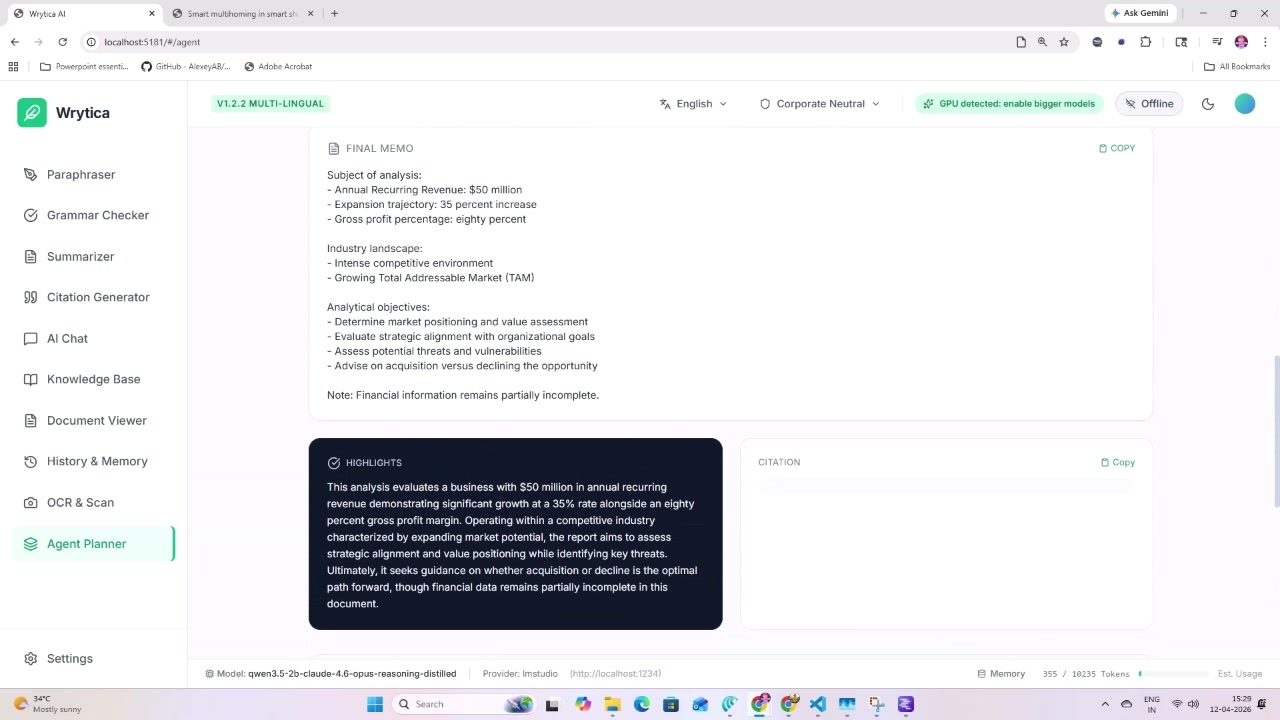
Agent Planner with analytical memo output
Tool 09

Agent
Planner

Run multi-step analytical agents against your documents. Get structured executive memos, highlights, and citations automatically generated. Perfect for M&A research, competitive analysis, and academic literature review.

Multi-Step Auto Memo Citations Highlights RAG
Company Guardrails and Ingestion Configuration
Settings

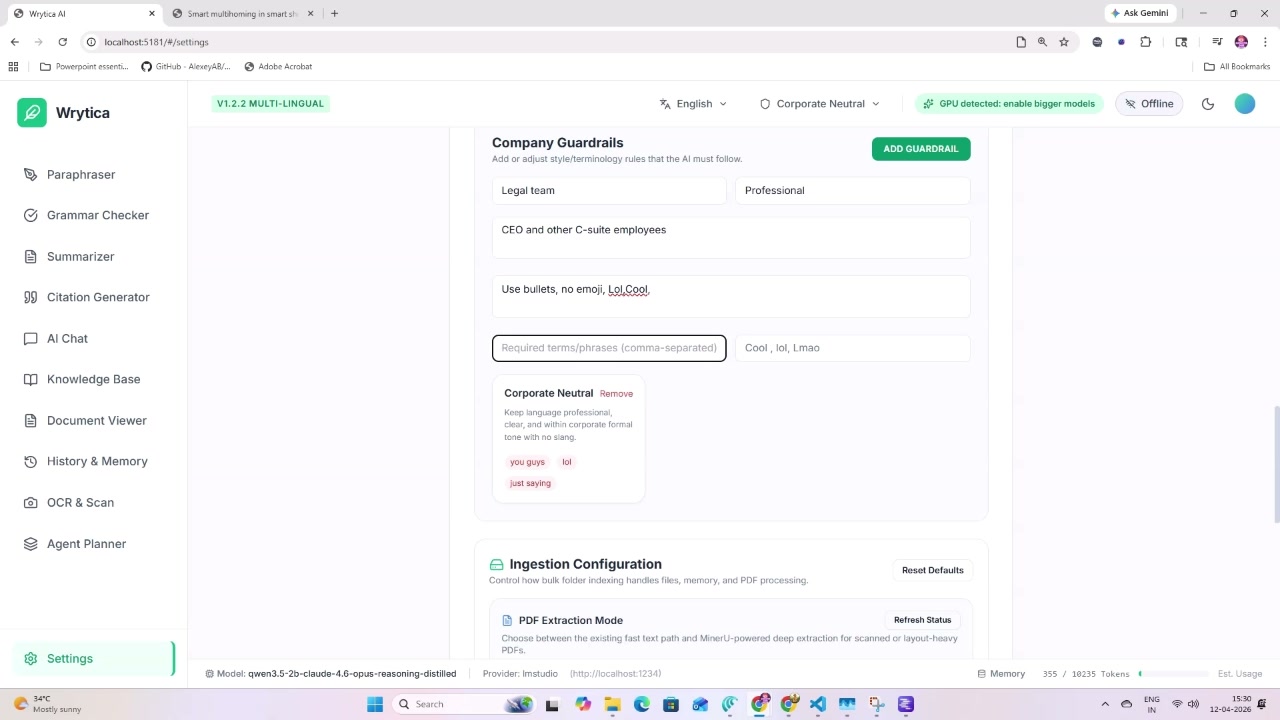
Company
Guardrails

Set required tone, banned words, audience personas, and formatting rules. The AI follows your style guide on every tool — no prompt engineering needed. Configure PDF deep extract, retrieval mode, and memory limits.

Tone Control Banned Words PageIndex + Vector MinerU Deep Extract Memory Manager
All 12 Tools

One suite.
Everything.

Stop juggling 12 browser tabs. Every tool talks to your knowledge base and respects your guardrails.

Paraphraser

10 modes, synonym intensity, multi-variant output, tone analysis.

Grammar Checker

Real-time grammar, style & punctuation with pattern memory.

Summarizer

Condenses any length in Short / Medium / Long, Paragraph or Bullets.

"

Citation Generator

APA, MLA, Chicago and more — from URLs, PDFs, or manual entry.

💬

AI Chat

RAG-powered chat with reasoning trace, file attach, and vision.

📚

Knowledge Base

Index 500 docs, search semantically, tag and filter everything.

📄

Document Viewer

PDF reading environment with Day / Night / Sepia and compare mode.

🕐

History & Memory

Full session history, memory export, self-improvement feedback loop.

📷

OCR & Scan

Extract text from images and scanned PDFs with MinerU deep extract.

🤖

Agent Planner

Multi-step document analysis agents that auto-generate memos.

Settings & Guardrails

Company tone, banned phrases, retrieval config, and memory limits.

</>

Developer Mode

LM Studio & Ollama integration, model switcher, endpoint tester.

Setup in 3 Steps

Running in
under 2 minutes.

No cloud account. No subscription wall. No data agreement to sign.

01

Download & Open

Grab the latest release from GitHub. Open index.html in your browser — no install, no Node, no server needed.

02

Add Your API Key

Paste your Gemini key in Settings, or point it at your local LM Studio / Ollama endpoint. Keys stay in localStorage — never transmitted.

03

Start Writing

Upload documents to your Knowledge Base, set Company Guardrails, and every tool is ready. All 12 features share the same context.

Privacy First

Your words are
yours. Period.

Every other AI writing tool sends your text to a server. Wrytica never does.

Wrytica ✓ Safe

  • API keys stored in your browser only
  • All text processed through your own API key
  • Works 100% offline with local LLMs (Ollama / LM Studio)
  • Documents never leave your machine
  • No account, no sign-up, no tracking
  • Open source — audit every line

Other Tools ✗ Risk

  • All text sent to vendor servers
  • Used for model training without consent
  • Monthly subscription fees
  • Account required to access features
  • Offline mode not available
  • Closed source — trust us, bro
Who Uses It

Built for
serious work.

From undergrad essays to M&A memos — Wrytica adapts to the task at hand.

🎓

Students

Paraphrase lecture notes, auto-cite research papers, summarize readings, and check grammar — all without risking academic integrity flags from cloud AI tools.

✍️

Writers

Rewrite drafts in 10 styles, humanize AI-generated text, expand or compress sections, and maintain your personal voice with custom guardrail profiles.

🔬

Researchers

Index hundreds of papers into your knowledge base, run the Agent Planner for literature synthesis, and export structured memos with citations.

💼

Professionals

Set corporate tone guardrails, process confidential client PDFs with OCR, and generate analysis memos — all behind your own API key firewall.

Pricing

Honest.
Simple.

Start free. Unlock Pro when you're ready — or stay free forever.

Free Forever
$0
Everything you need to get started — no card, no expiry.
  • All 12 tools, no feature lock
  • Gemini API (your key)
  • Local LLM via Ollama / LM Studio
  • Knowledge Base (up to 500 docs)
  • 10 paraphrase modes
  • OCR, Citations, Agent Planner
  • Priority feature requests
  • Early access to new tools
50% OFF Waitlist
Pro — Coming Soon
$5/mo
$10/mo regular — Join waitlist to lock 50% off forever.
  • Everything in Free
  • Unlimited Knowledge Base docs
  • MinerU Deep Extract (cloud OCR)
  • Vector Store for RAG
  • Self-improvement AI feedback
  • Priority bug fixes & support
  • Early access to new tools
  • Shape the roadmap
Lock 50% Off →
Early Access

Get in.
Before it fills up.

Join the waitlist to lock the 50% launch discount and shape what gets built next.

No spam. Unsubscribe any time. Your email stays private.

FAQ

Real questions,
real answers.

Yes. The entire app — all 12 tools — is free and open source. You only pay for your own API key usage (e.g. Gemini's pay-as-you-go pricing, which is very cheap). If you use a local LLM like Ollama, the cost is literally zero.
Only to the AI provider you configure (e.g. Google for Gemini), and only through your own API key. Wrytica itself never sees, stores, or touches your text. If you use Ollama locally, no text leaves your machine at all.
Wrytica supports Google Gemini (gemini-2.0-flash and others), LM Studio (any GGUF model via local server), and Ollama (any model you have pulled). You can switch models per-session from Settings without restarting.
Upload PDFs, text files, or Word documents. Wrytica indexes them using PageIndex (semantic page-level chunking) combined with an optional vector cache. When you chat or run an agent, it retrieves the most relevant pages and injects them into the prompt context automatically.
No. Wrytica runs entirely in the browser — just open index.html from the downloaded zip. The optional Python backend unlocks deep PDF extraction (MinerU) and background OCR jobs, but the core app works without it.
PageIndex is Wrytica's built-in lightweight retrieval that ranks pages by keyword and semantic similarity — no external database needed. Hybrid mode adds an in-browser vector cache for faster lookups on large collections. Both are 100% local.